RangeForce Case Study

CASE STUDY | UX/UI REDESIGN

A cybersecurity training platform where users spent more time navigating than learning.

RangeForce’s portal was visually cluttered, inconsistent across themes, and confusing for both learners and administrators, leading to increased support requests and low training completion rates. I led the UX redesign to simplify the experience and make the platform feel as trustworthy as the skills it teaches.
ROLE

Lead UX Designer

TEAM | AGENCY

3 designers
Twisted Sisters Agency

TOOLS

Figma, Miro

DURATION

2024

↓ 40%

Reduction in navigation time

WCAG AA

Accessibility compliance achieved

↑ Score

User satisfaction improved post-launch

1 System

Scalable style guide for light & dark

THE CHALLENGE

Two user types, one confusing interface

RangeForce serves two fundamentally different audiences: Security Analysts (learners) who need to find and complete cybersecurity training quickly, and Training Managers (admins) who need to track team progress, assign courses, and generate reports. The existing portal tried to serve both with the same cluttered interface and failed at both.


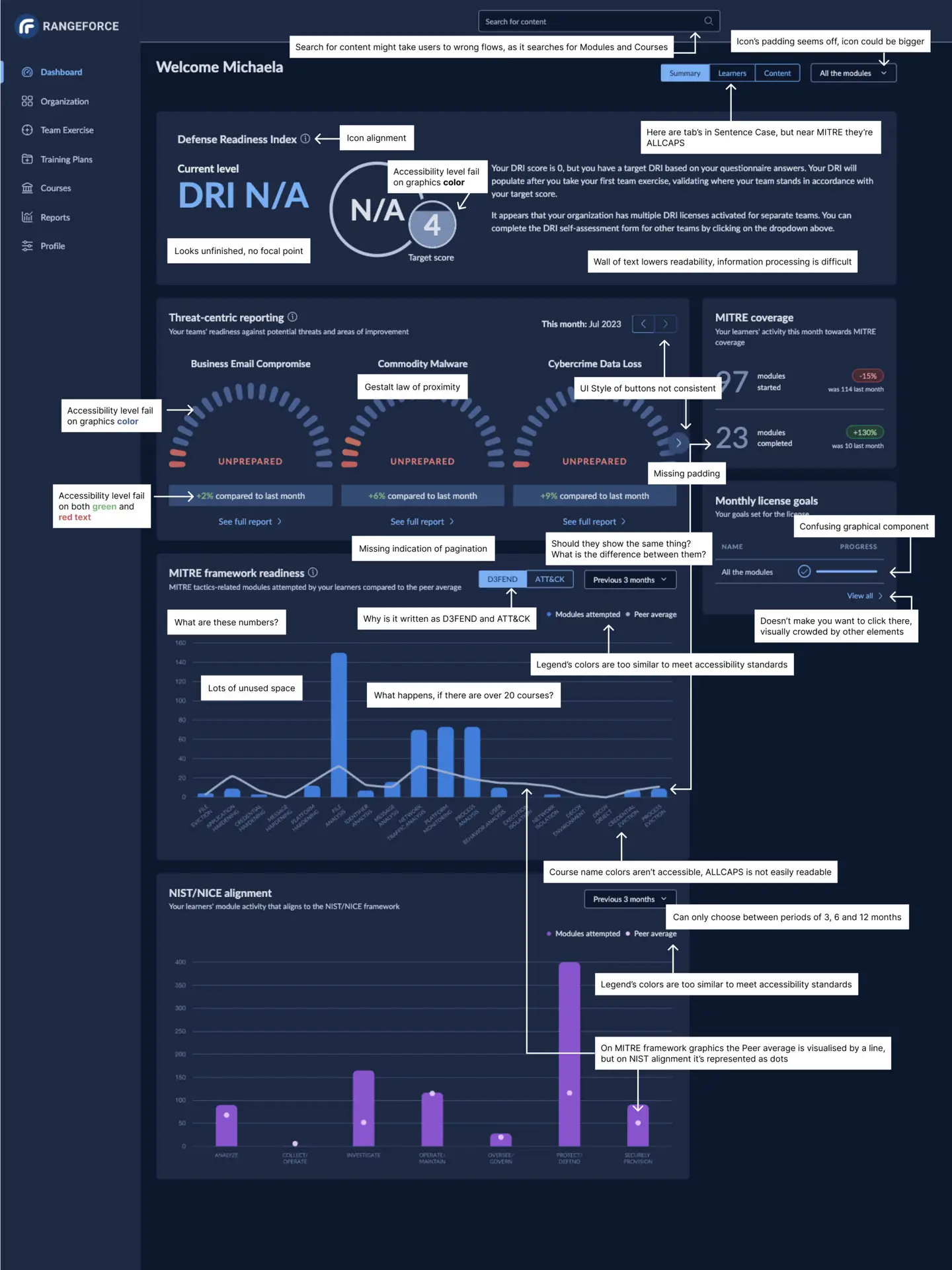
The legacy dashboard had multiple elements competing for attention, inconsistent visual hierarchy between modules, and a light/dark theme implementation riddled with contrast issues. Users reported disorientation, increased cognitive load, and difficulty locating even basic features like search and settings.

🔴

Overwhelming first login

New users landed on a dense dashboard with no guidance, leading to abandonment before they even started a module.

🔴

Cluttered module discovery

Filters and search results felt noisy. Users couldn’t quickly assess which training was relevant to their role or skill level.

🔴

Inconsistent visual language

Light and dark themes were visually incoherent. Components, spacing, and color usage varied across every section.

🎯

The goal

Simplify navigation, improve accessibility to WCAG AA, build a scalable design system, and create role-specific experiences for both user types.

RESEARCH AND DISCOVERY

Understanding who we're designing for

To ensure the redesign addressed real needs rather than assumptions, we developed detailed personas based on user interviews, portal analytics, and feedback gathered during a UX audit. Two primary user types emerged, each with distinct goals, frustrations, and workflows.

USER JOURNEY MAP

Mapping Emma's experience from login to completion

By mapping the learner journey across five phases, from awareness through reflection, we identified specific friction points at each stage. This visual comparison revealed that the highest-friction moments occurred during onboarding and module discovery, where cognitive load was at its peak.

Three insights that shaped every design decision

01

Users don't need more information on the dashboard

They need less, organized by what’s actionable right now.

02

One interface can't answer both

Learners and admins have fundamentally different first questions when they log in.

03

Visual inconsistency between themes isn't just an aesthetic issue

It’s eroding user trust in a security product.

DESIGN EXPLORATION 

From pain points to design directions

We mapped each pain point to a specific touchpoint and proposed targeted solutions. Rather than redesigning everything at once, we prioritized the six highest-friction moments identified in the journey map, ensuring every design change traced back to a real user problem.

Onboarding

Overwhelming dashboard on first login with no guidance

Introduced a guided tour and simplified the default layout for new users

Dashboard

Inconsistent visual hierarchy between modules and sections

Applied unified style guide for clarity and visual focus

Module Discovery

Filters and search results feel cluttered and noisy

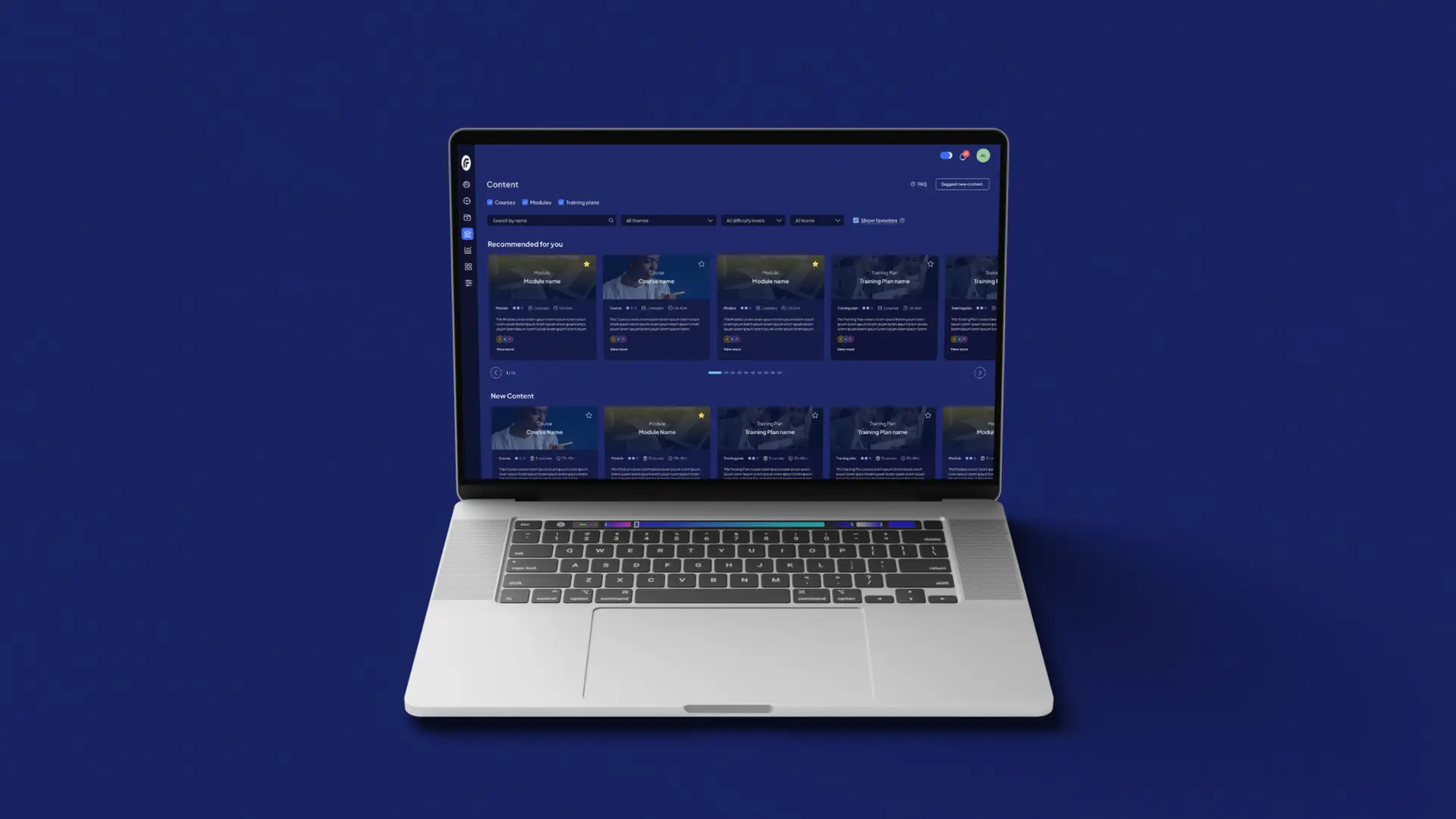
Standardized module cards and optimized filters for relevance

Engagement

Lack of visual feedback during progress through exercises

Added dynamic progress indicators and inline success messages

Completion

Delayed badge/score updates after finishing training

Instant confirmation with social sharing option for achievements

Continued Learning

Users unsure of what to take next after completing a module

Personalized next-step recommendations based on completed training

WIREFRAMES & ITERATION

Testing structure before polish

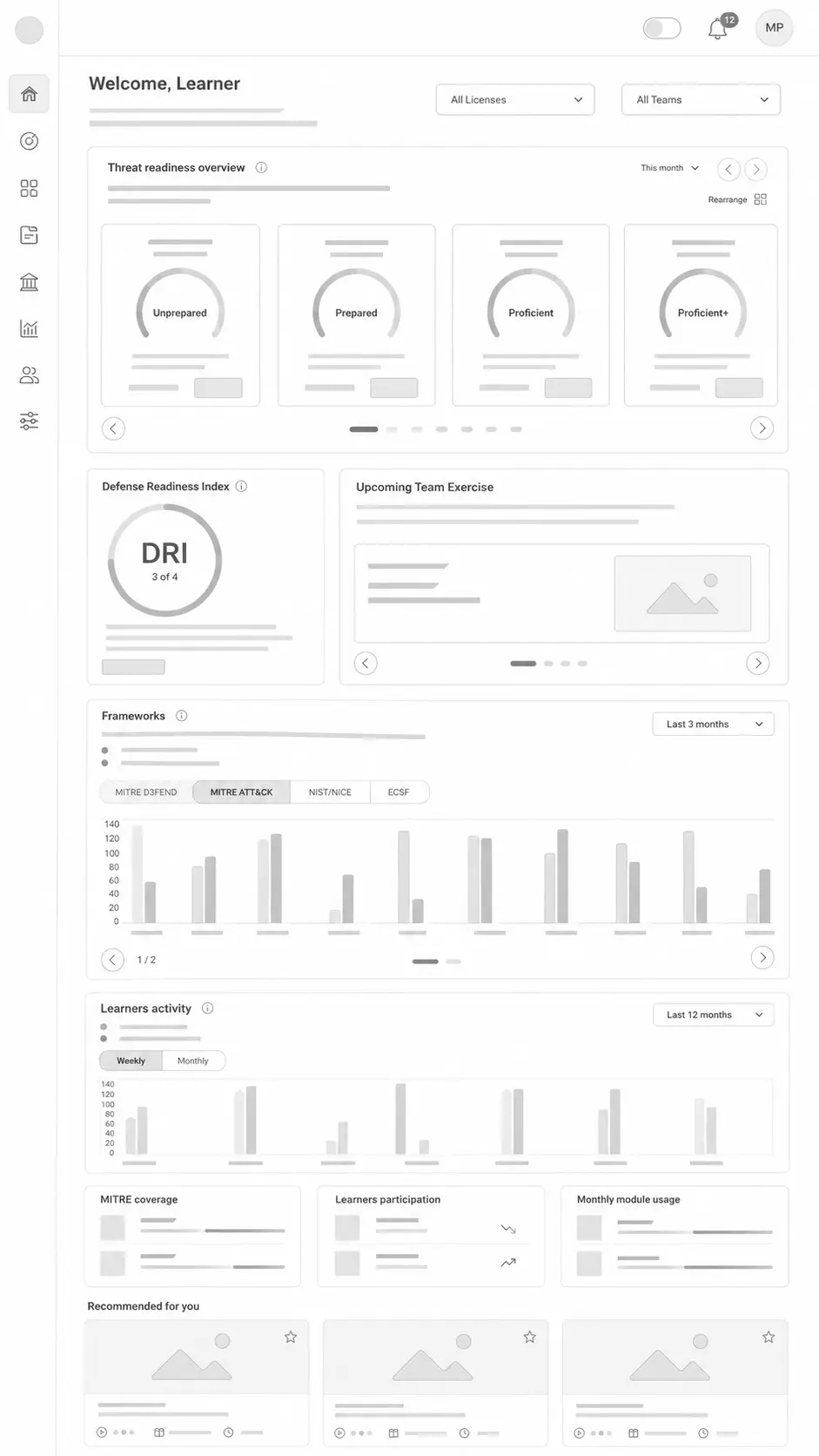
Using Figma, initial concepts were translated into low-fidelity wireframes focused on structure, flow, and information hierarchy, not visual polish. The goal was to ensure the information architecture supported both learner and admin workflows before investing in high-fidelity design.


We ran early usability testing with a small group of representative users,  both Security Analysts and Training Managers. Based on their feedback, we made several key adjustments: simplifying dashboard navigation, clarifying module filters, and improving visual consistency across light and dark themes.

Before: Pain points

After: WIREFRAME SOLUTION

DESIGN DECISIONS

Five changes, each tied to a user insight

Every design decision in the final UI traces back to a specific pain point or insight. Here are the five most impactful changes and the reasoning behind them.

1

Repositioned primary controls to left navigation

Search, Settings, and Profile actions were moved from the top-right corner to a more accessible left navigation bar, reducing interaction time and improving discoverability. Directly addressing Emma’s complaint about “too many steps to reach training.”

2

Standardized UI components across all views

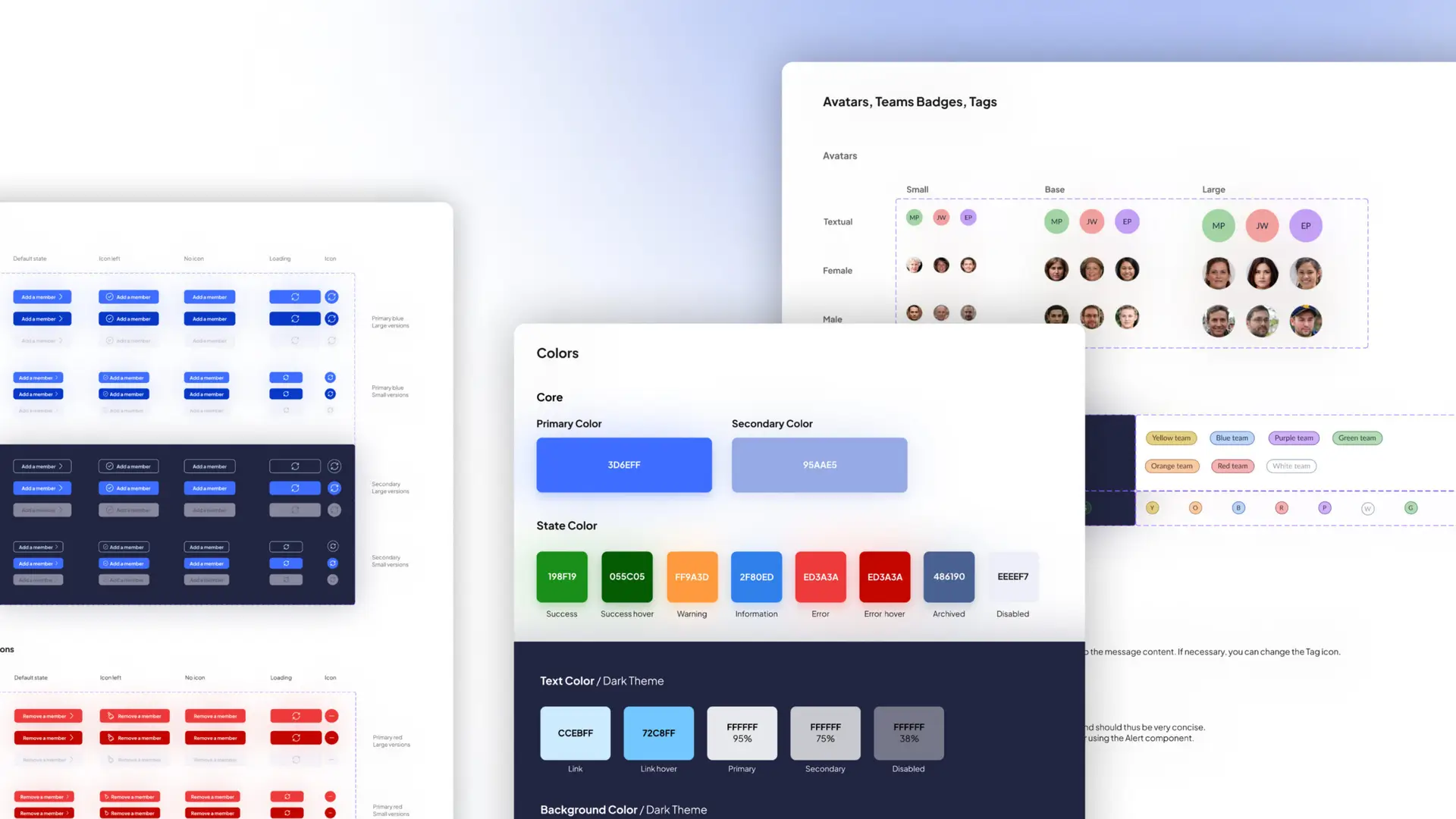
Applied a unified style guide with consistent spacing, typography, and component patterns across dashboards, modules, and reporting tools. This addressed Insight 03: visual inconsistency was eroding trust in a security product.

3

Role-based dashboard personalization

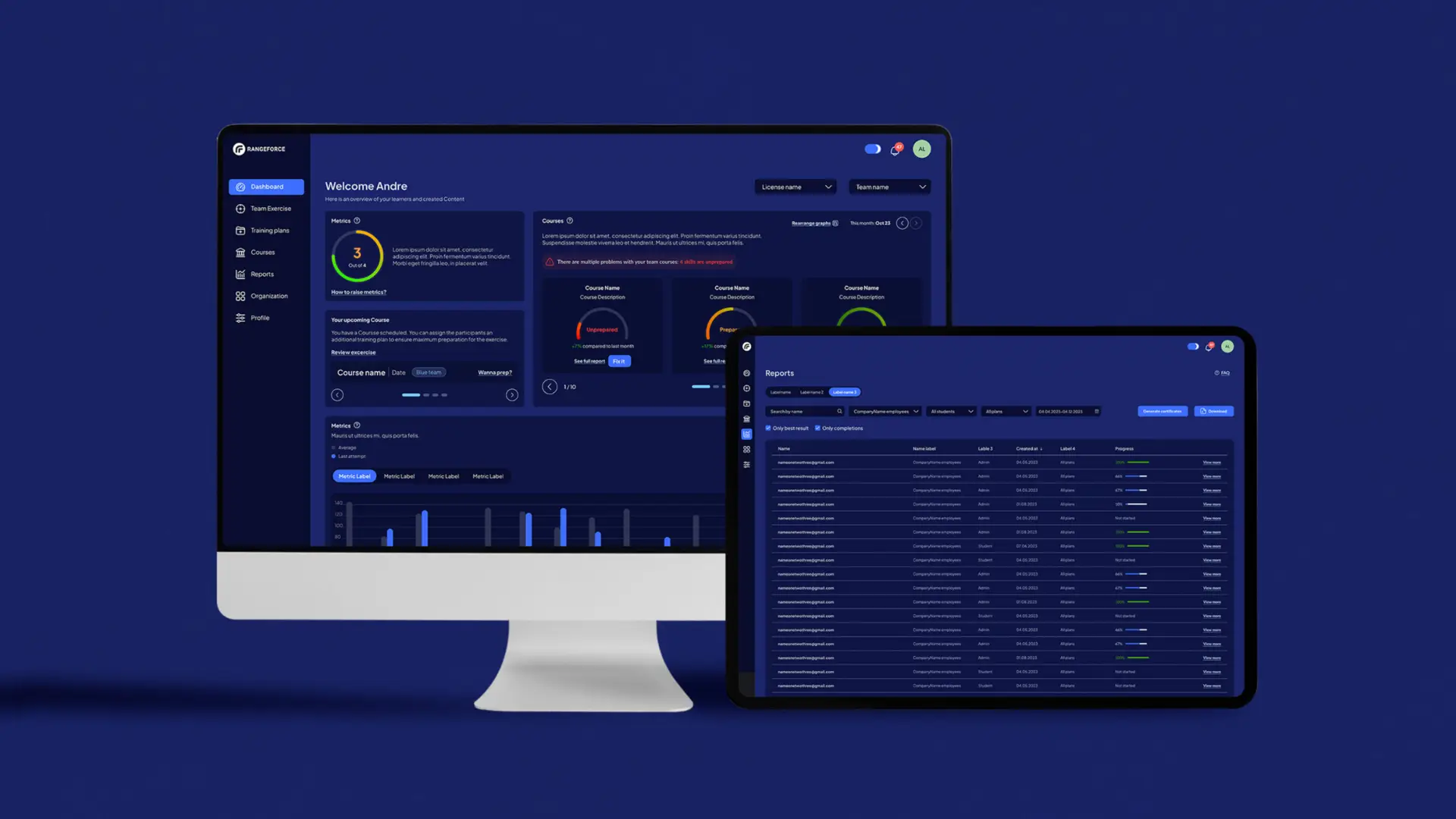
Learners and admins now see tailored default views: learners get “Your next module” and progress tracking front and center, while admins see team performance metrics and reporting tools. This directly addressed Insight 02.

4

Module categorization tags for faster discovery

Introduced clear category labels, skill tags, and difficulty indicators on module cards, allowing users to assess relevance at a glance without opening each module.

5

WCAG-compliant light and dark themes

Both themes were rebuilt from scratch with dedicated, accessibility-tested color palettes, not just inverted colors. Contrast ratios meet WCAG AA across all text and interactive elements.

The redesigned RangeForce portal

RESULTS & IMPACT

Two user types, one confusing interface

⚡️

Navigation time reduced

Streamlined user flows significantly cut the time users spent navigating between sections, letting them focus on learning rather than wayfinding.

♿️

WCAG AA accessibility achieved

Both light and dark themes now meet WCAG contrast and readability standards — a critical requirement for an enterprise security platform.

🎨

Scalable design system created

A comprehensive style guide was built covering both themes, ensuring design consistency scales as the product grows — without depending on the design team being present.

📊

User satisfaction improved

Post-launch surveys showed improved satisfaction scores, particularly around dashboard usability and clarity — the two areas with the most redesign investment.

THE REFLECTION

What I learned and what I'd do differently

What worked well

Leading with persona research and journey mapping gave the entire team a shared language for design decisions. When stakeholders questioned a choice, we could point to a specific pain point and a user quote. This approach transformed design reviews from opinion battles into evidence-based discussions.

What I'd do differently

I’d push harder for quantitative baseline metrics before the redesign began, including exact task completion times, support ticket volumes, and abandonment rates. The qualitative improvement is clear, but having hard before/after numbers would have made the impact story even more compelling for both the client and this case study.

NEXT PROJECT

Scaling Telia’s device e-shop experience